

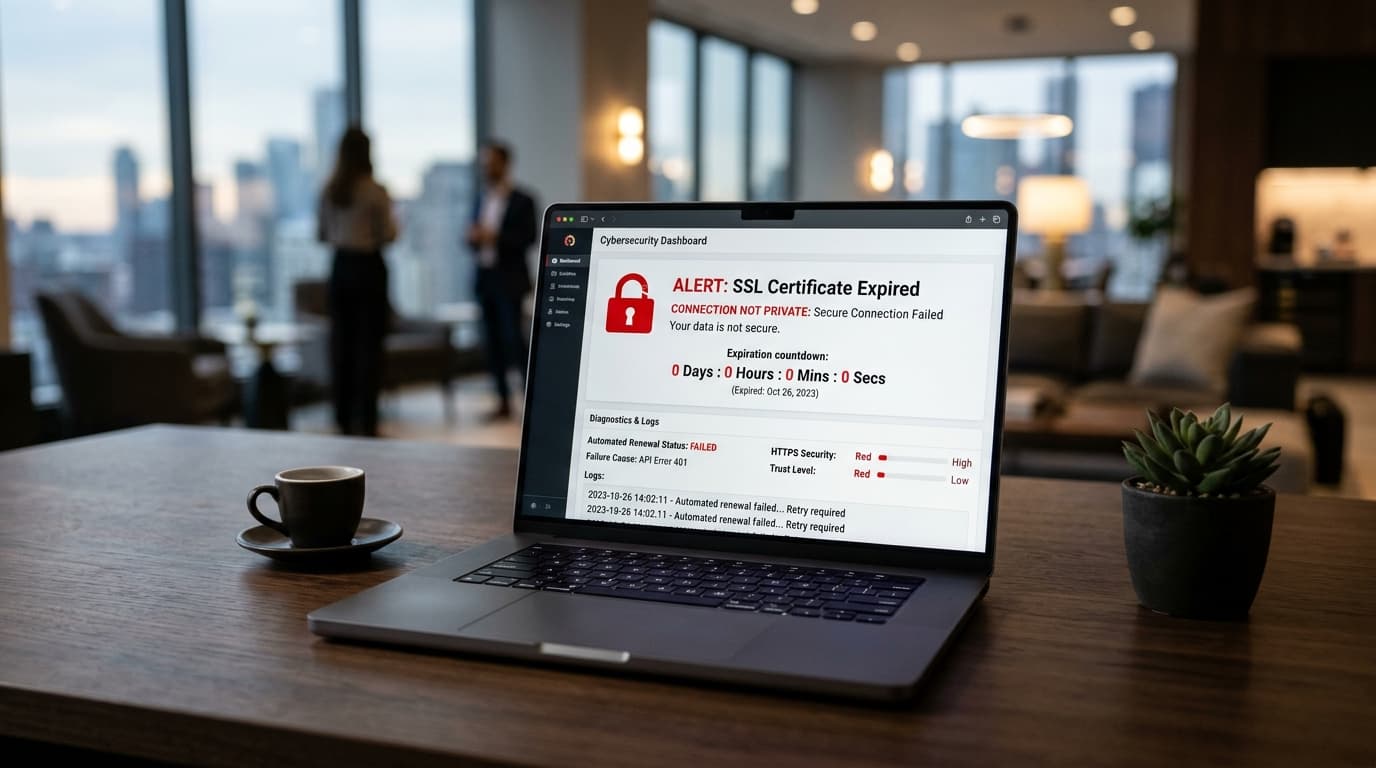
The immediate impact of an expired SSL certificate
The exact second an SSL/TLS certificate passes its Not After / Valid To expiration timestamp, web browsers immediately terminate trusted HTTPS handshakes.
Rather than loading your website, Google Chrome, Safari, Firefox, and Microsoft Edge present visitors with an alarming full-screen security barrier:
Your connection is not private
Attackers might be trying to steal your information fromexample.com(for example, passwords, messages, or credit cards).
NET::ERR_CERT_DATE_INVALID
For an e-commerce store, SaaS platform, or business website, the consequences are immediate and severe:
- Instant Traffic Collapse: Over 95% of standard visitors will not click "Advanced → Proceed to unsafe site". They bounce immediately.
- Payment & API Outages: Payment gateways (Stripe, PayPal) and mobile apps terminate webhook integrations immediately when SSL verification fails.
- SEO & Search Ranking Penalties: Googlebot cannot crawl expired pages, resulting in rapid de-indexing of organic search rankings.
- Brand Reputation Damage: Visitors question the legitimacy and security posture of your business.
Why do SSL certificates expire so quickly?
In the early days of the web, certificates could be issued with 3-year, 5-year, or even 10-year validity periods. Today, the CA/Browser Forum limits commercial SSL certificates to a maximum lifespan of 398 days (~13 months), with industry plans underway to reduce certificate life to 90 days.
Why shorter certificate lifespans exist:
- Cryptographic Algorithm Rotations: Shorter lifecycles allow the web to transition away from vulnerable ciphers and hashing algorithms (such as SHA-1 and RSA-1024) without waiting years for old certificates to expire.
- Revocation Limitations: Certificate Revocation Lists (CRLs) and OCSP stapling are notoriously unreliable on mobile networks. If a server private key is leaked or compromised, a short certificate expiration acts as a natural hard deadline.
- Mandating Automation: Short life cycles force systems engineers away from error-prone manual spreadsheet renewals toward automated ACME tools (like Let's Encrypt Certbot).
How to check your certificate expiry date
1. Visual countdown via our Free SSL Checker
Use our free SSL Certificate & Expiry Checker to inspect your live domain. The tool displays:
- An exact real-time days and hours countdown until expiration.
- Certificate Authority (CA) issuer details.
- Subject Alternative Names (SANs) covered.
- Supported TLS protocols (TLS 1.2 and TLS 1.3).
- Early warnings if your certificate is expiring within 30 days.
2. Inspecting via your local terminal (OpenSSL)
You can query your live web server's certificate expiration directly via openssl:
echo | openssl s_client -servername yourdomain.com -connect yourdomain.com:443 2>/dev/null | openssl x509 -noout -dates
Output:
notBefore=Jan 15 00:00:00 2026 GMT
notAfter=Apr 15 23:59:59 2026 GMT
3. Decoding raw PEM certificates offline
If you have a raw .crt or .pem file on your server or are preparing a CSR, paste it into our PEM Certificate & CSR Decoder to verify dates and cryptographic key sizes in a safe, client-side sandbox.
How to set up bulletproof auto-renewal
Never rely on calendar reminders to renew certificates manually. Set up automated renewal through one of these standard industry patterns:
Option A: Let's Encrypt Certbot (Ubuntu/Debian)
Certbot installs an automated systemd timer (certbot.timer) or cron job that checks certificates twice daily and renews any certificate with fewer than 30 days remaining.
Verify that the renewal dry-run succeeds:
sudo certbot renew --dry-run
Ensure a deploy hook automatically reloads your web server upon successful renewal:
# In /etc/letsencrypt/renewal/yourdomain.com.conf
renew_hook = systemctl reload nginx
Option B: Cloudflare Universal SSL
If your domain is proxied through Cloudflare (orange cloud icon active in DNS), Cloudflare manages, rotates, and provisions edge SSL certificates automatically with zero intervention required on your part.
Option C: AWS Certificate Manager (ACM)
If your site is hosted on AWS behind an Application Load Balancer (ALB) or CloudFront distribution, ACM handles 100% of certificate provisioning and renewals automatically free of charge.
Troubleshooting failed ACME / Certbot renewals
If your automated renewal fails, it is usually caused by one of three common issues:
- Firewall Blocking Port 80 (HTTP-01 Challenge): Let's Encrypt requires port 80 to complete standard HTTP domain validation. If port 80 is closed in your firewall (such as
ufwor AWS Security Groups), the challenge times out. You can verify open ports using our Open Port Checker. - Cloudflare WAF Blocking ACME Validation: If Cloudflare "Under Attack Mode" or a Bot Fight rule is enabled, it may challenge Let's Encrypt validation bots with a CAPTCHA, causing the renewal to abort.
- Missing or Stale DNS Records: If your domain recently migrated hosts, ensure the A and AAAA records point to your new server IP. Use our DNS Propagation Checker to verify records worldwide.